Unresponsive Testing Server
Issue
Pointing the web browser to http://testfixture02-test.ornl.gov/admin causes the page to hang, the adming page never shows up.
Diagnostics: faulty TLS (ssl) certs
login to testfixture02-test.ornl.gov and examine the nginx logs
$> ssh cloud@testfixture02-test.ornl.gov
$> docker logs test-nginx-1
SSL_CTX_use_PrivateKey("/etc/pki/wildcard.sns.gov.key") failed (SSL: error:0B080074:x509 certificate routines:X509_check_private_key:key values mismatch)
nginx: [emerg] SSL_CTX_use_PrivateKey("/etc/pki/wildcard.sns.gov.key") failed (SSL: error:0B080074:x509 certificate routines:X509_check_private_key:key values mismatch)
The logs indicate a problem with the certificate files.
An additional test is to substitute the nginx.conf file for the testing environment with the local environment one, which does not contain SSL certificates. Don’t forget to change the server name from “localhost” to “testfixture02-test.ornl.gov”. Redeploy after this. If the http://testfixture02-test.ornl.gov/admin (notice the http instead of https) app is served now, then it’s a problem of the secure connection.
Diagnostics: upstream firewall policy
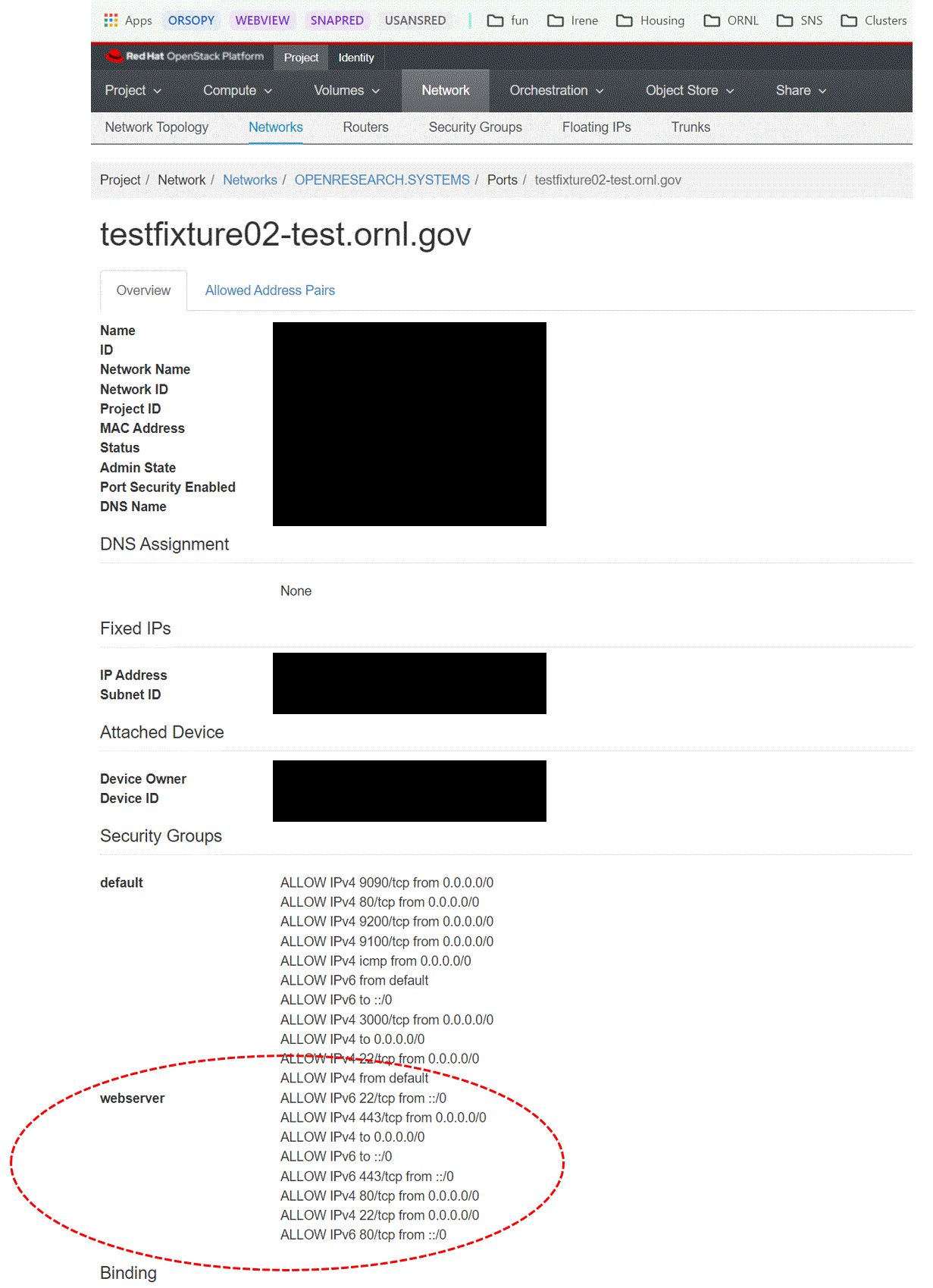
If the prod or test servers are hosted on ORNL cloud, ensure that unsolicited incoming requests on ports 80 and 443 are allowed in the upstream firewall. Login to https://orc-open.ornl.gov, click on “Instances” and select “testfixture02-test”. Verify under “Security Groups” that security group “webserver” is included (see image below), which as rules to allow requests on ports 80 and 443. If the security group “webserver” is absent, click in the “Interfaces” tab, then click in “Edit Security Groups”, then click the “+” sign next to “webserver”